
PYRAMIS
Dental 3D printing software
Pyramis software – Product News.
2026
NEW WALL-TYPE SUPPORT PINS
2025
MANUAL PINS MANAGEMENT UPDATE
2024
NEW MULTI SUPPORTS
2023
NEW DETECT CURVES OPTION
2022
LOCK AFTER NESTING
2026

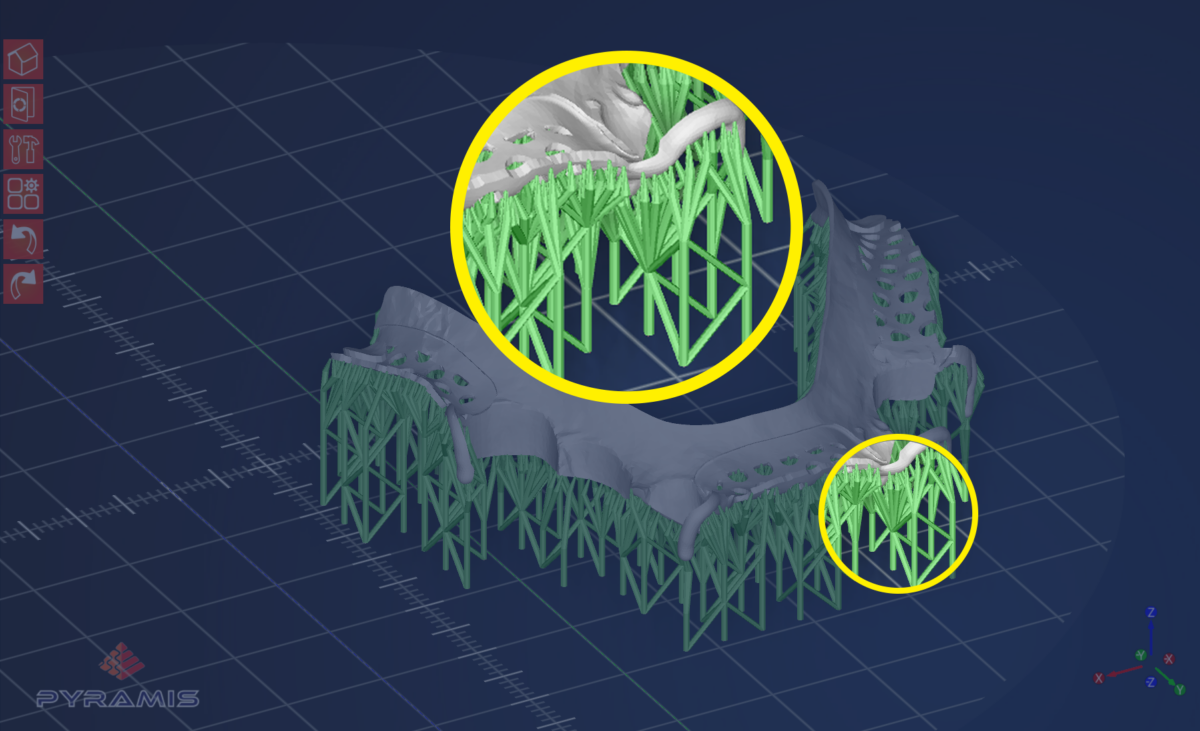
NEW TYPE OF SUPPORT PINS: WALL TYPE
Wall-Type Support Pins are now available to further enhance the versatility of Pyramis. This innovative new support option can be used either on its own or in combination with standard support pins.
When used independently, Wall-Type Support Pins are placed at regular distance intervals, starting from the edges of the project and progressing toward the center of the object.
When combined with standard support pins, Wall-Type Support Pins reinforce the outer edges of the object, while standard pins provide support for the central areas.

SMARTER MESH-FIX ALGORITHM
The mesh-fix algorithm within Pyramis is now able to perform faster and more precise recovery actions, including more precise identification of meshes that require repair.
IMPROVED “IDENTIFY AREA” FUNCTION
Pyramis now features an enhanced Identify Area function with a more advanced search algorithm for defining areas that require support.
This improved algorithm can now distinguish between flat and angled flat surfaces, as well as irregular geometries, highlighting edges, ridges, low points, and angular thresholds.
This enhancement is especially effective when used with Wall-Type Support Pins, but also works seamlessly with single and lattice-type supports.
2025
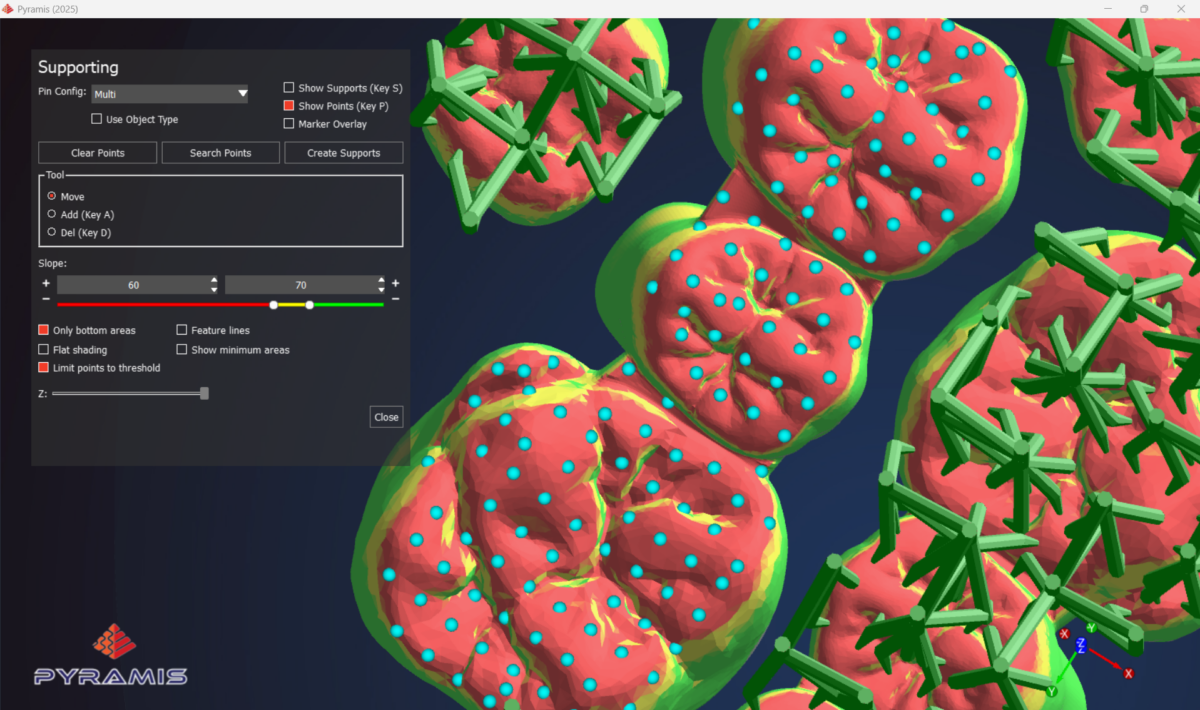
MANUAL PINS MANAGEMENT UPDATE
A new dialog window now allows users to manage each individual support pin placement. Easily move, add, or delete any pin with a single click. Activate or deactivate threshold limit detection and get a better view of the object’s morphology to optimize support pin positioning on your part.
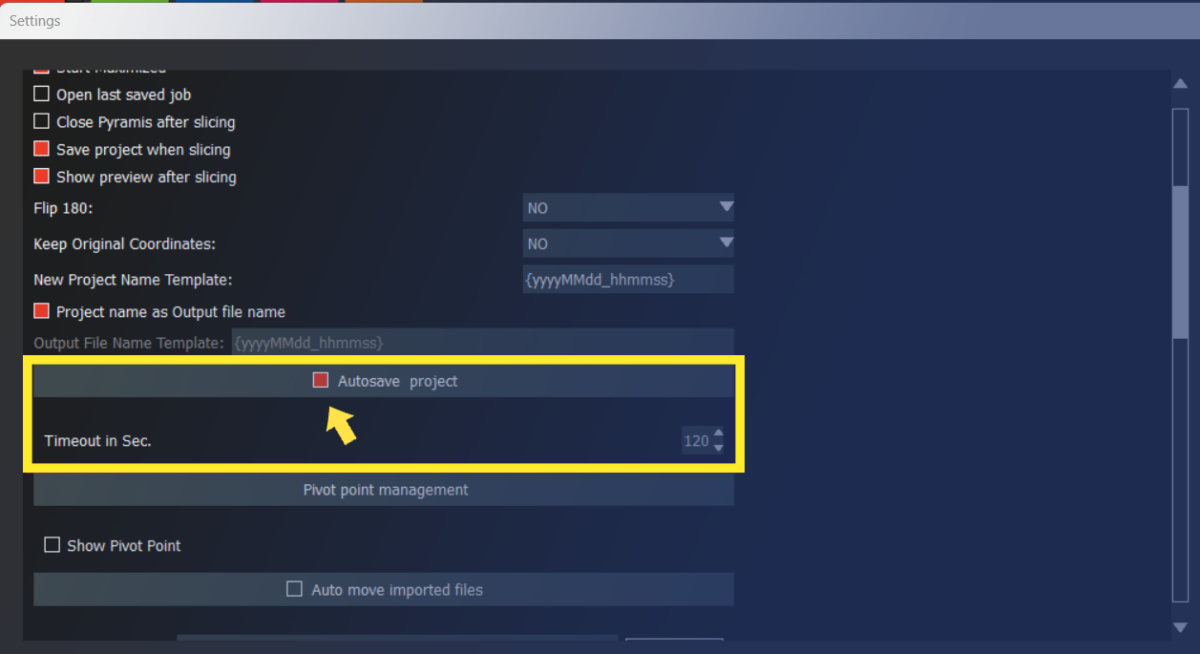
AUTOSAVE
No more clicks to manually save your progress! With the new Autosave function, jobs can be automatically saved every few seconds. Autosaving frequency is also fully customizable.
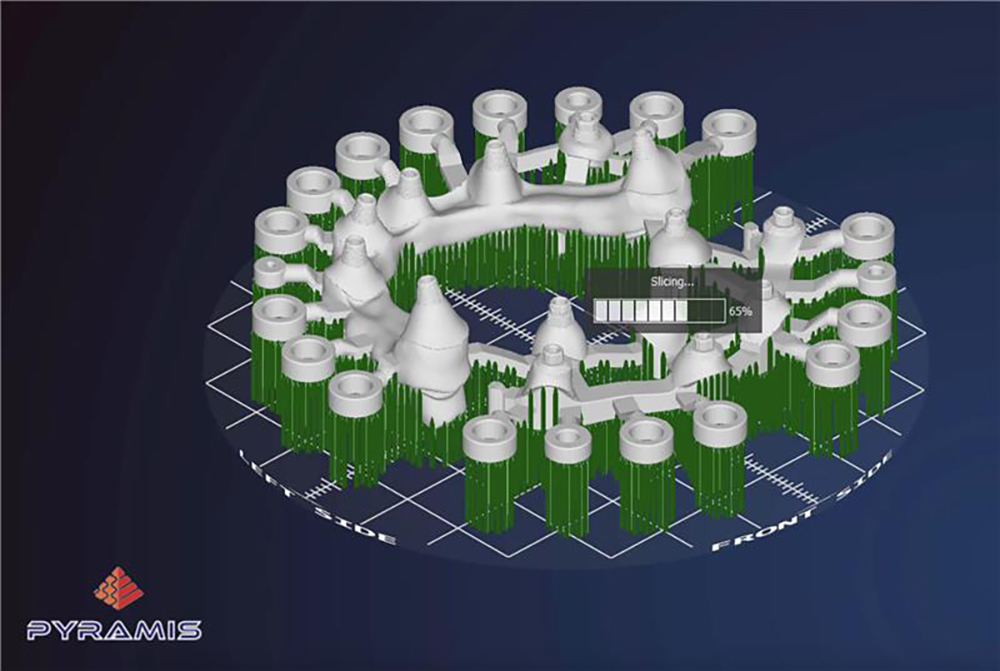
PERFORMANCE ENHANCEMENT
The overall software performance level has been (improved or upgraded)! Reduced calculation times, improved nesting algorithms and faster movement of objects on the plate are just a few of the benefits released in this update.
2024
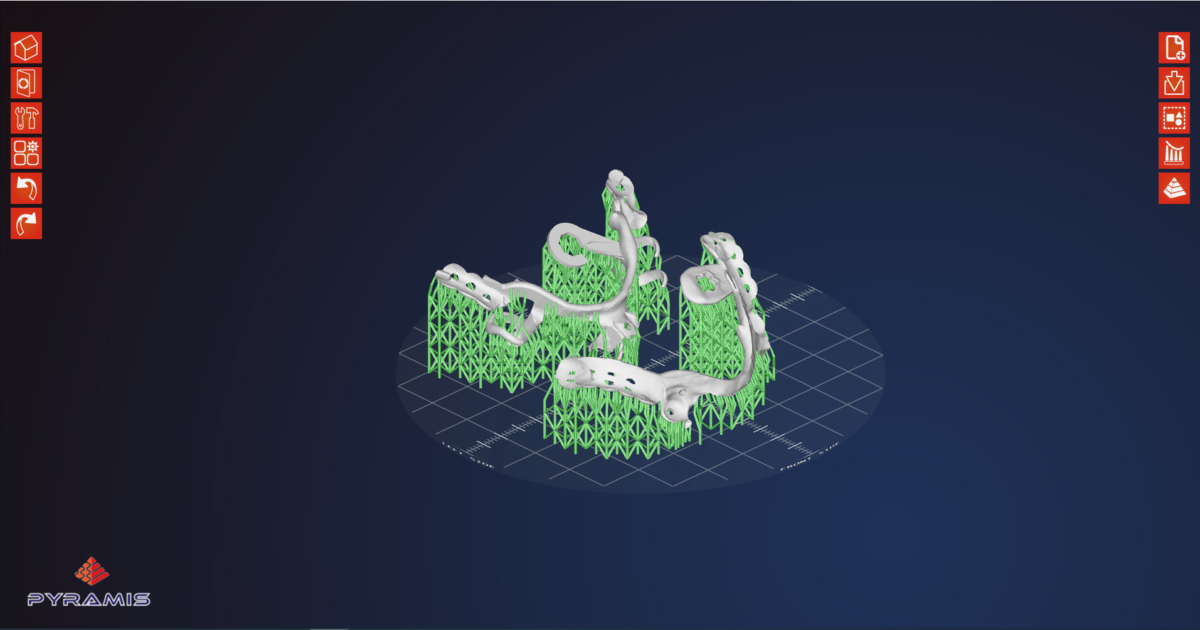
NEW MULTI-SUPPORTS
New multi-support available for complex restorations. Get more stability with less supports to print!
2023
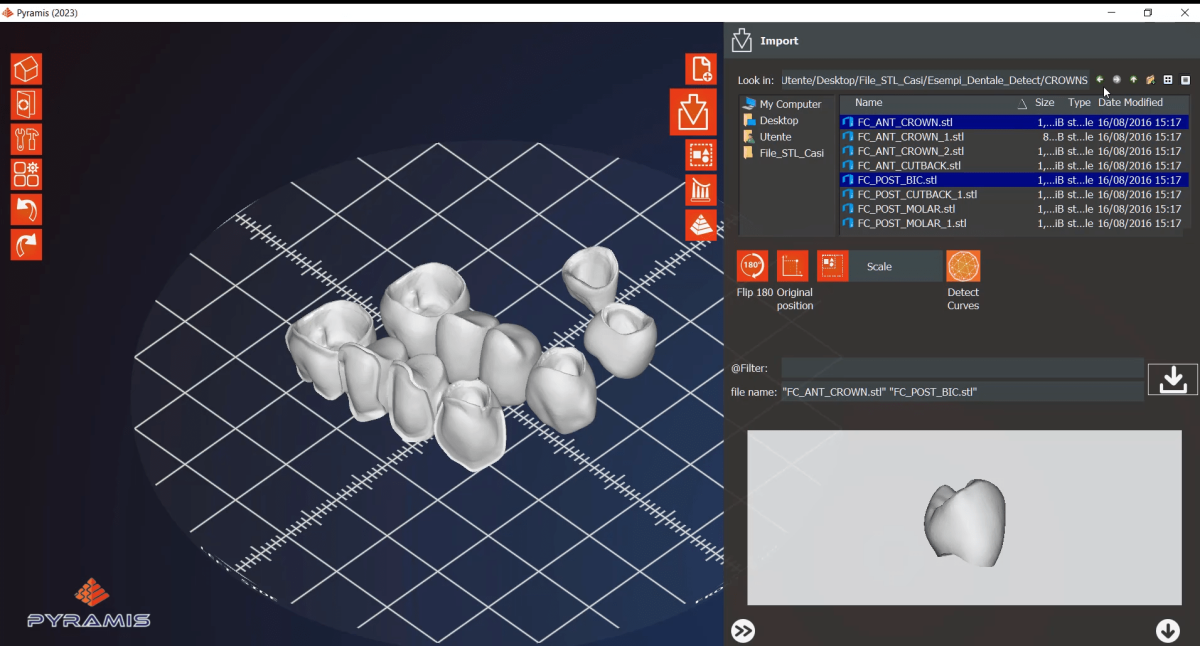
NEW DETECT CURVES OPTION
Thanks to this new option, dental objects are now automatically detected in Pyramis; it is no longer necessary to manually pre-identify the object type. This option currently works with the following objects: Copings, Crowns, Framework bridge, Anatomical bridge, Abutment bridge, Anatomical abutment bridge, Bars, Abutment, Hybrid abutment, Anatomical abutment. For all other object types, the “Detect Curves” option must be deselected at import.
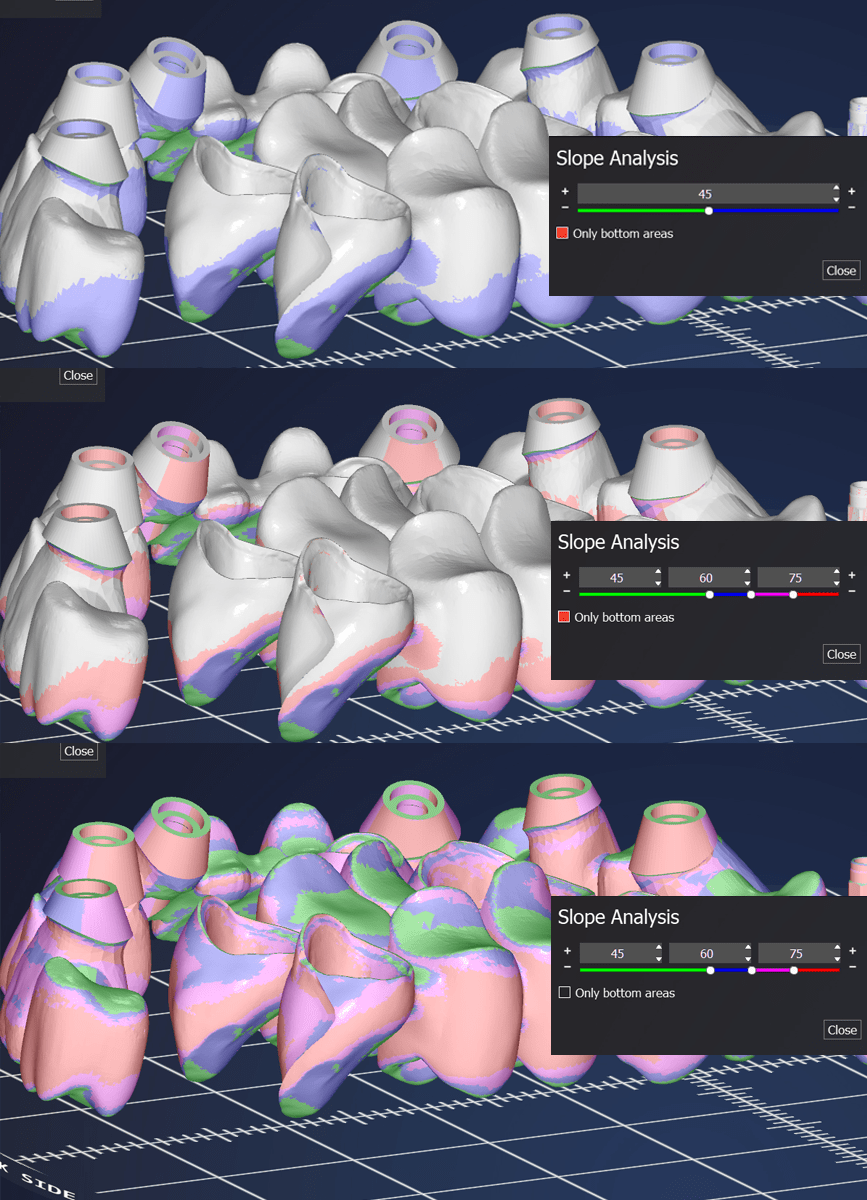
NEW OPTION SLOPE THRESHOLD FOR SUPPORT PLACEMENT
With the new function for optimisation of support placement, it is now possible to disable the angle threshold of all surfaces identified in the threshold definition range, so that supports are not placed on them, especially on those surfaces that are inclined enough to be self-supporting.
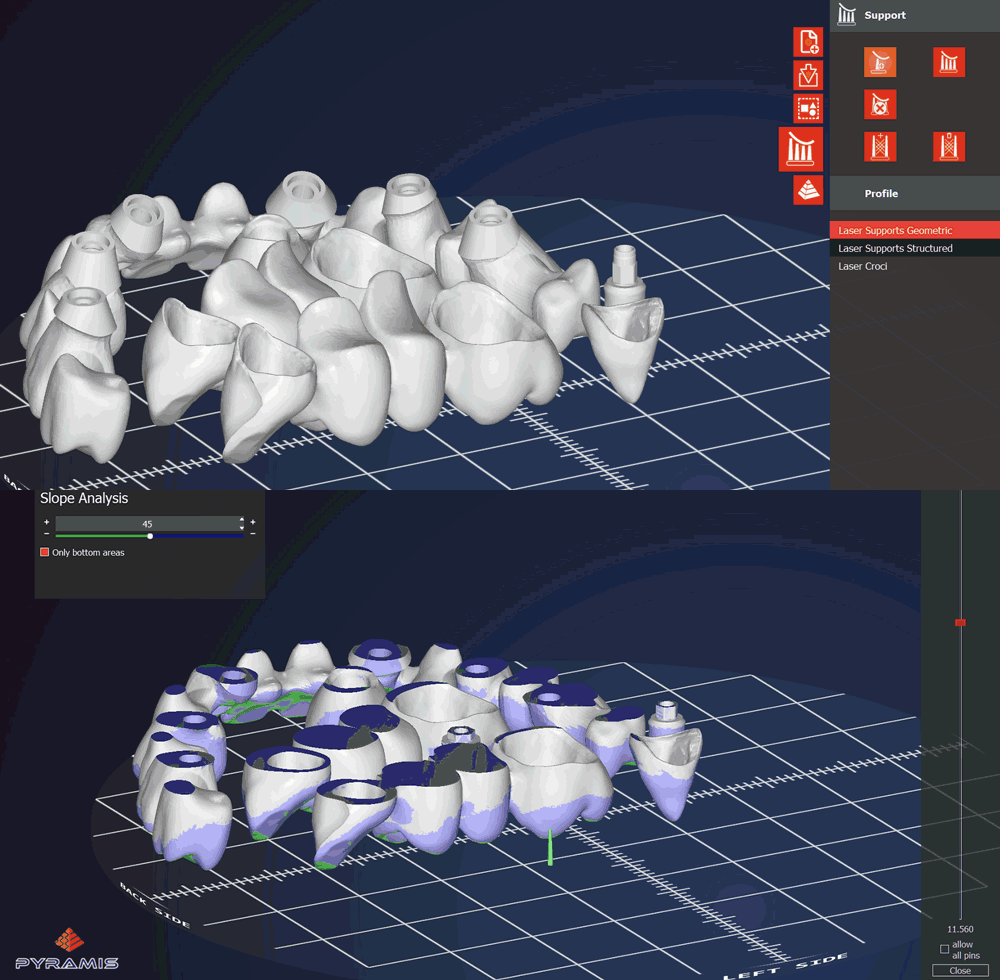
NEW SLOPE TOOL VISUALISATION
A new slope tool is now available to display the different slopes of an object’s surface; by default, 2 slopes are displayed, but up to 5 different thresholds can be added.
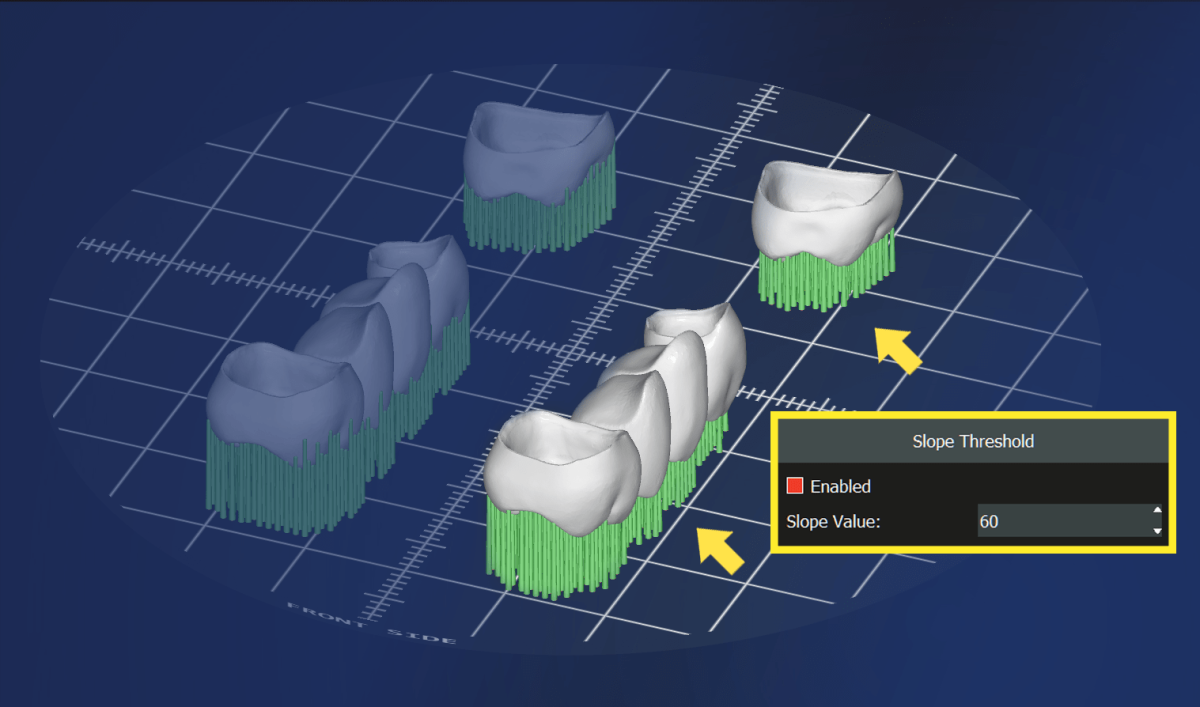
VISUALISATION TOOL ON MANUAL SUPPORT POSITIONING
The “Slope” option is also automatically activated during the manual positioning of the supports
2022
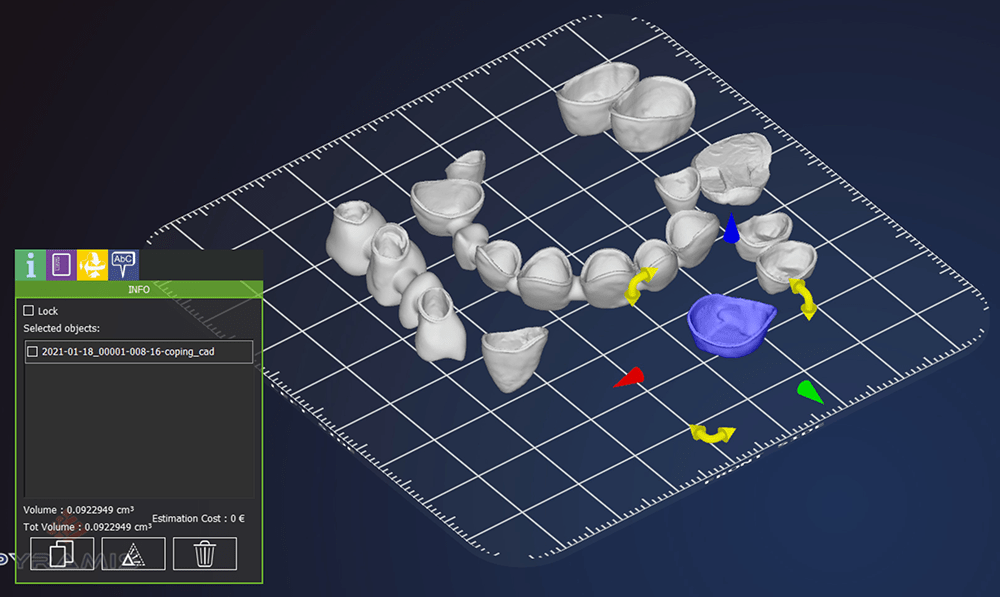
LOCK AFTER NESTING
This function allows you to select objects that have already been imported and lock them into position on the plate. This will prevent the repeated placement of objects already on the plate when adding new objects.
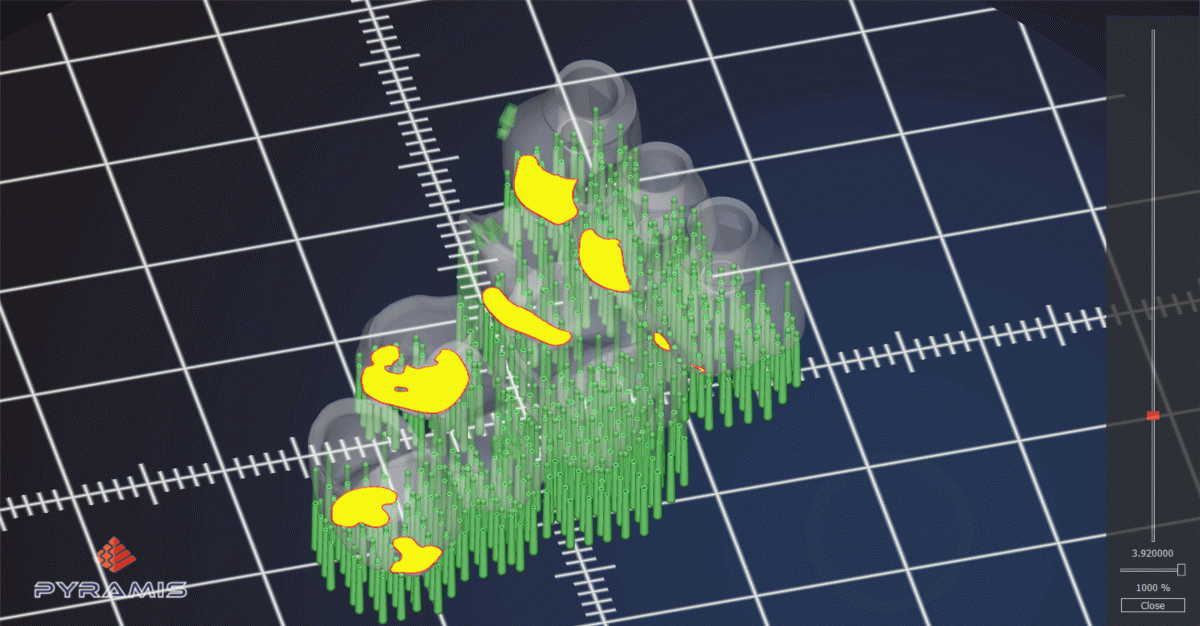
LAYER SKIP
The software generates a laser path made of alternate layers which highly reduce job execution time.
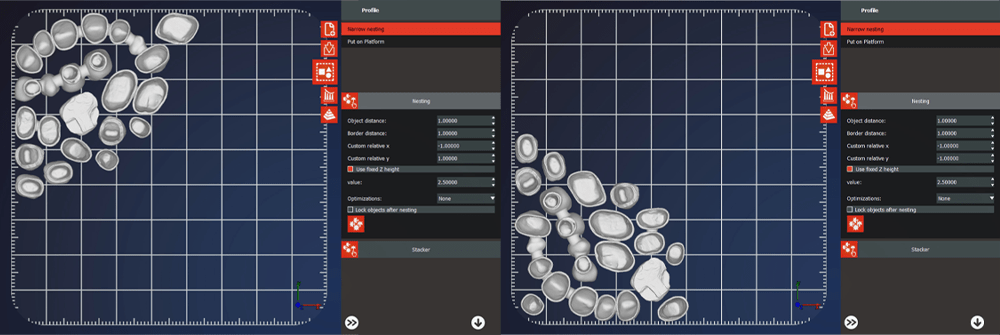
NESTING START POSITION
You can define the starting point of nesting according to your preferences.

VISIBILITY TOOL
This new function allows you to select and act on a single object placed on the plate. It highlights only the selected object and fades out the rest.
2021

ID TAG
This feature is very useful when importing multiple objects onto the plate. The software allows for the positioning of a TAG to help identify each individual object.
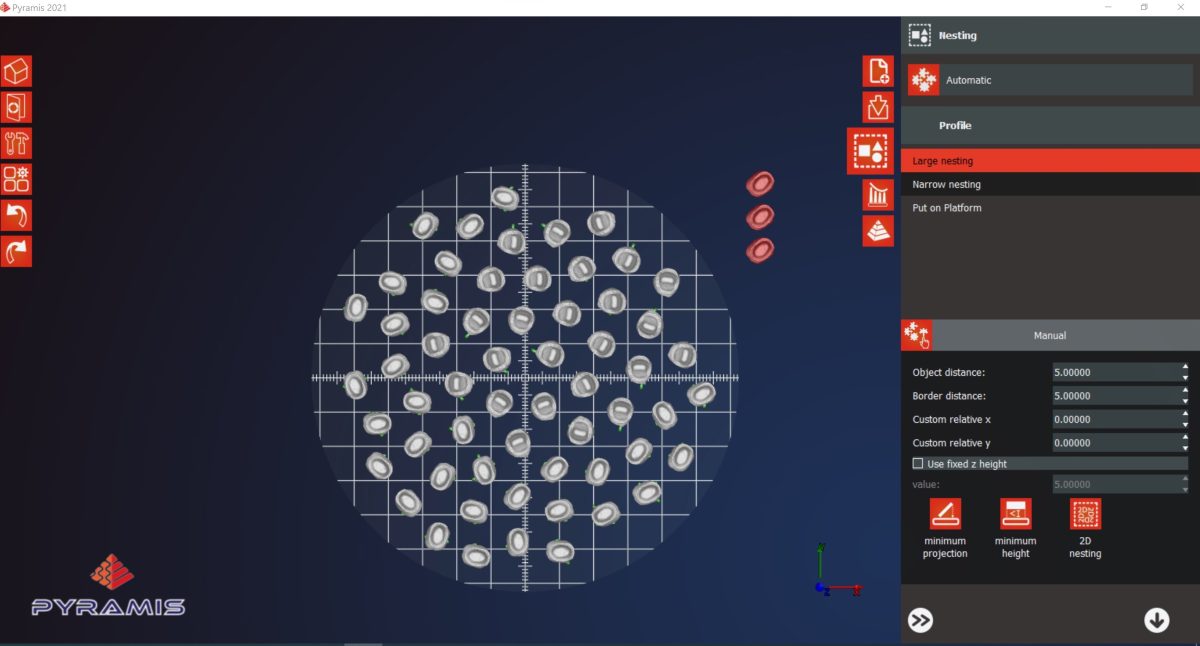
NESTING ALGORITHM
The new, more accurate, faster nesting algorithm also allows you to select from which area of the platform to start placing objects, and takes into account the size of any equipment.
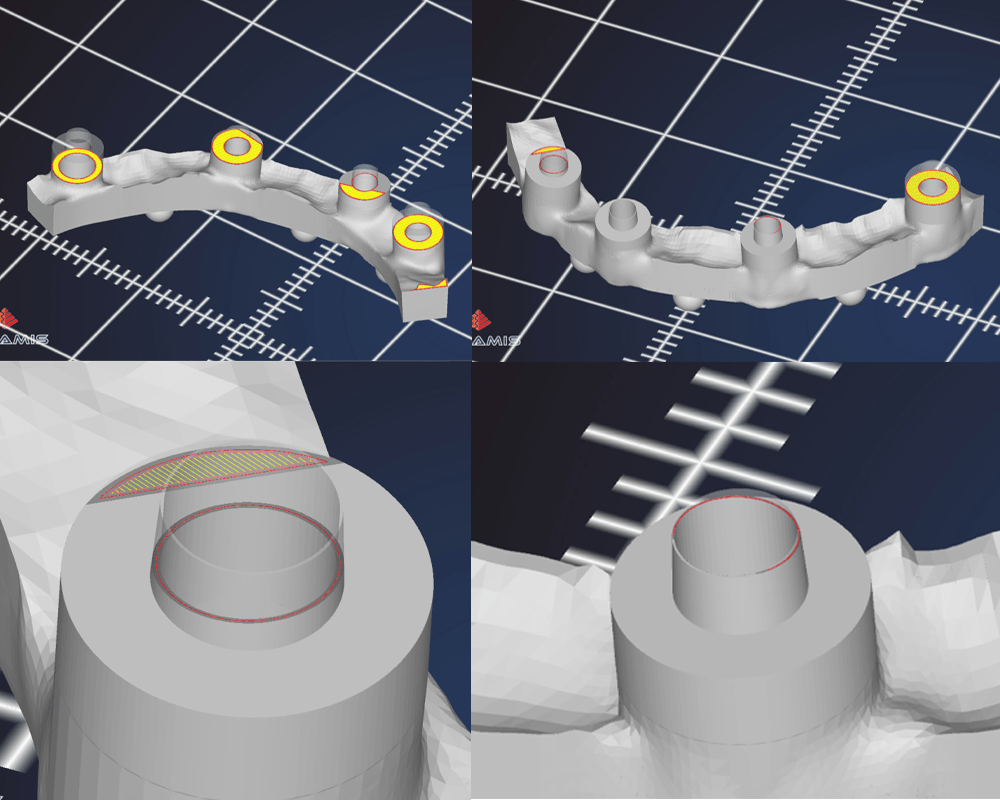
MICRO WALL
The software can recognize and print elements with wall thicknesses of microscopic sizes (down to hundredths of a millimeter). This will increase the accuracy of printed objects.
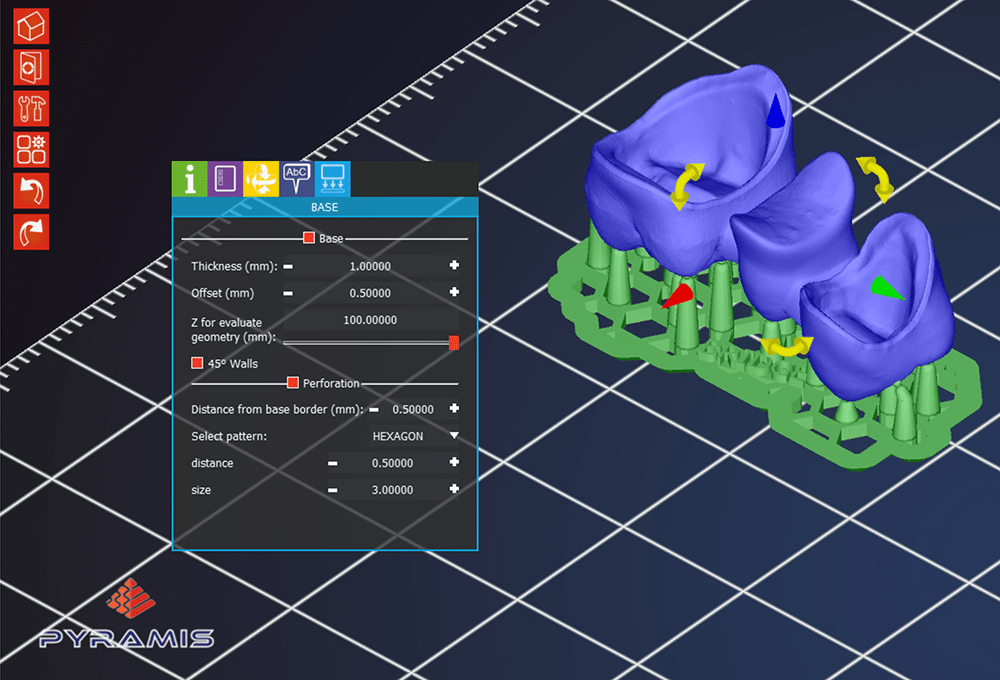
BASE PERFORATION
A new material saving method has been implemented into Pyramis called Base Perforation. Base Perforation is available in a variety of shapes that suit objects to be printed and it features host pins only on filled spaces.
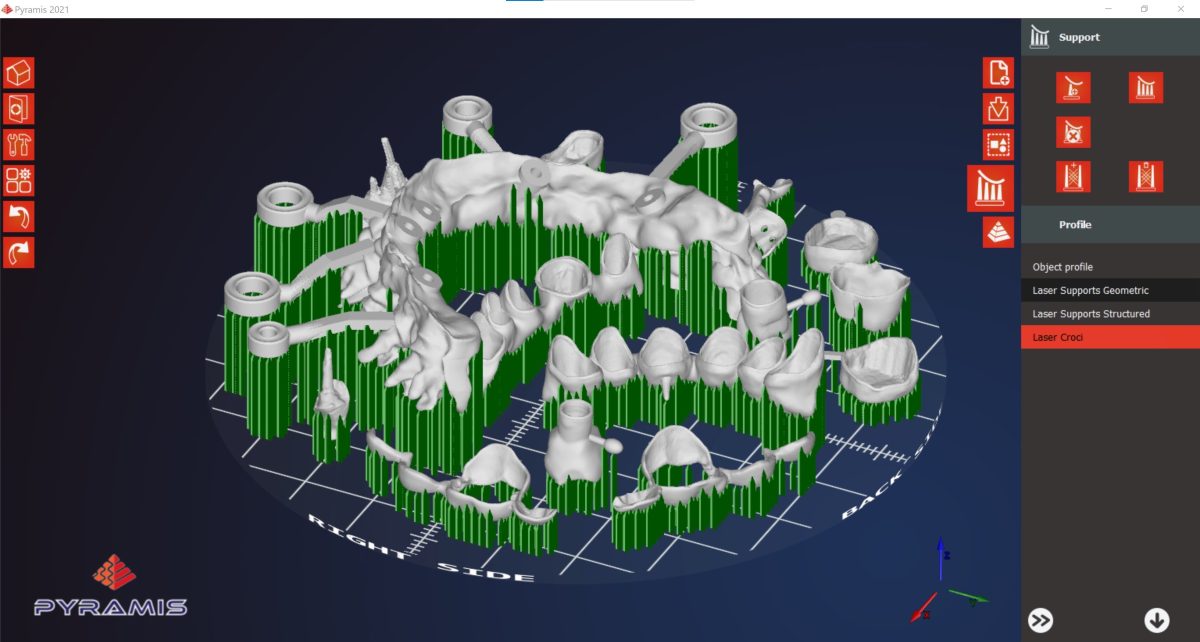
CROSS SUPPORTS
The cross supports (or called “without volume”) used exclusively for machines with laser technology, allow to have objects with supports made by a single laser step, easily detachable from the object at the end of the printing process.
You may be interested also in